
activity_main.xml #
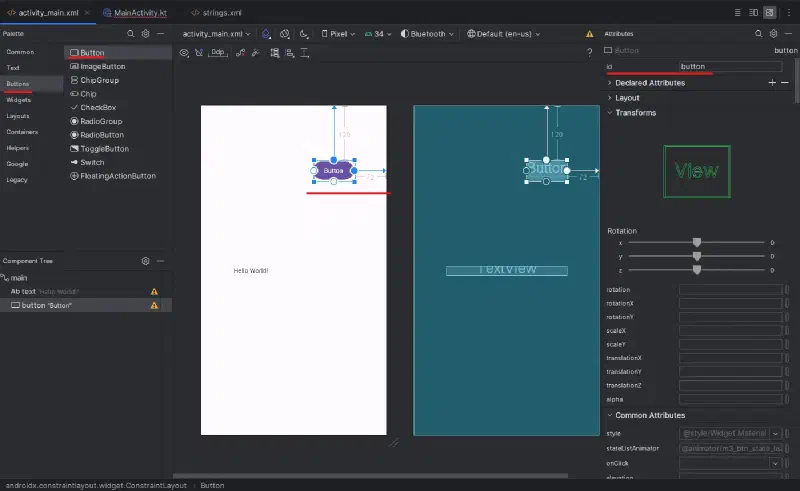
Add a button and a text view to activity_main.xml, and set their IDs and positions.
MainActivity.kt #
Add the following code to the onCreate() method in MainActivity.kt.
val tv : TextView = findViewById(R.id.text)
val btn : Button = findViewById(R.id.button)
var num = 0

btn.setOnClickListener {
    num++
    tv.text = String.format(getString(R.string.text1), num)
    }
strings.xml #
To follow Android development best practices, add the following text to strings.xml.
<string name="text1">Click: %d</string>