
This post was translated by AI.
Introduction #
After some research, it seems that hot reloading is not possible due to Windows’ own specifications.
On my Mac Mini, real-time changes can be applied in a virtual environment built with the exact same Docker configuration file.
As a workaround, you can resolve this issue by using WSL (Windows Subsystem for Linux).
Installing WSL #
WSL can be installed with a single command.
Open PowerShell in Administrator mode and run the following command:
wsl --installIn my case, I received an error stating that WSL was broken, but by following the error message and running wsl --install one more time at the end, the installation was successful.
Integrating VSCode and WSL #
Installing Plugins #
I mainly use VSCode for developing with Hugo.
Here, you need to install the necessary plugins:
Accessing the WSL File System #
You can access the WSL environment by running the wsl command in the terminal directly from a Windows directory, but Microsoft’s documentation states that this will significantly reduce processing speed.
Therefore, I strongly recommend storing your project (code) within the WSL file system.
It is also possible to access the WSL file system from the Windows desktop file explorer.
Enter the following address in the Explorer’s address bar:
\\wsl$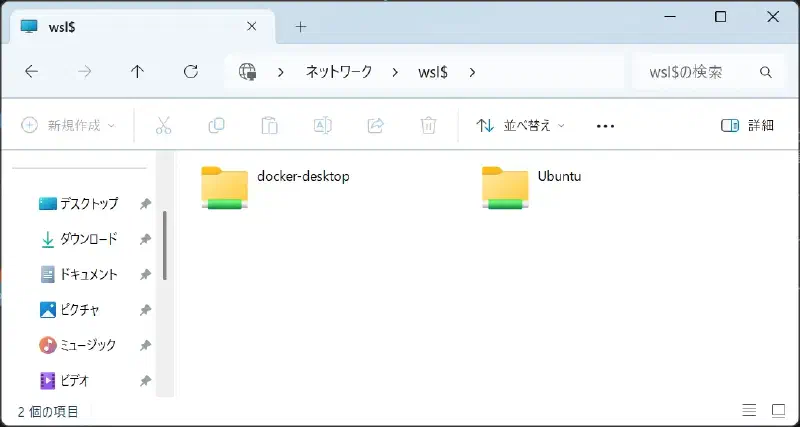
You can access it like this.
The user directory is located at the following address:
\Ubuntu\home\<user>Setting Up the Virtual Development Environment #
Navigate to your source code directory.
Open VSCode in the WSL environment:
code .Check the bottom left corner to ensure it is connected to a WSL Linux distribution.
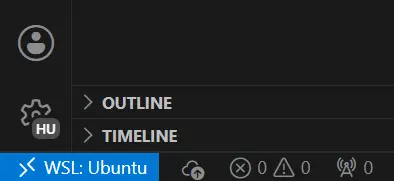
If it is not connected, press F1 or ctrl+shift+p and run:
WSL: Reopen Folder in WSL
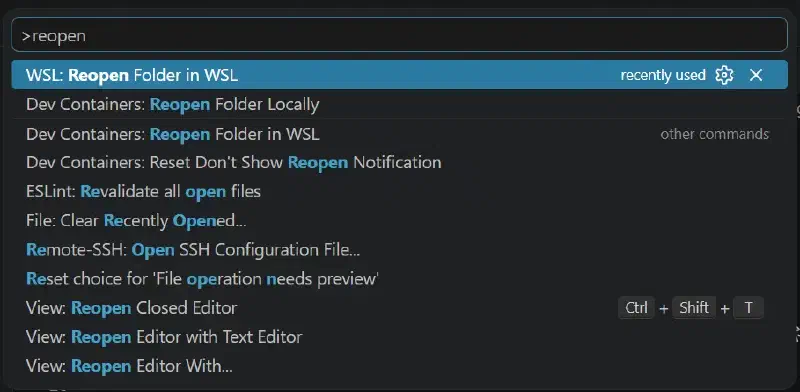
Once in the WSL environment, press F1 or ctrl+shift+p again and run:
Dev Containers: Open Folder in Container...
Run the Hugo server in the VSCode terminal:
hugo serverAccess the site via PORTS or the pop-up that appears in the bottom right corner to verify that it works.
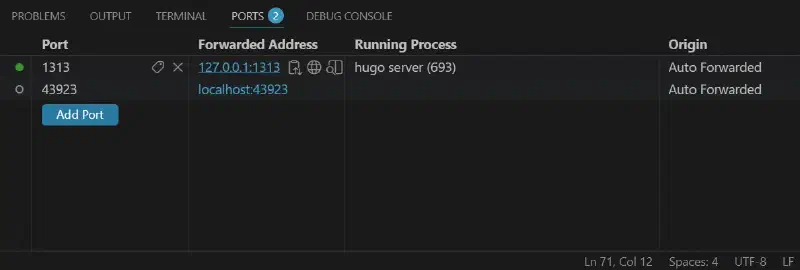
With this, the setup for the WSL Docker virtual environment is complete, and you should be able to see your changes updated in real-time.