Creating an ICO File #
Download ImageMagick and use the following command to convert a PNG file into a hiDPI-compatible ICO file.
magick icon.png -define icon:auto-resize=256,128,64,48,32,16 icon.icoCommands may vary depending on the version of ImageMagick.
Changing the Taskbar Icon #
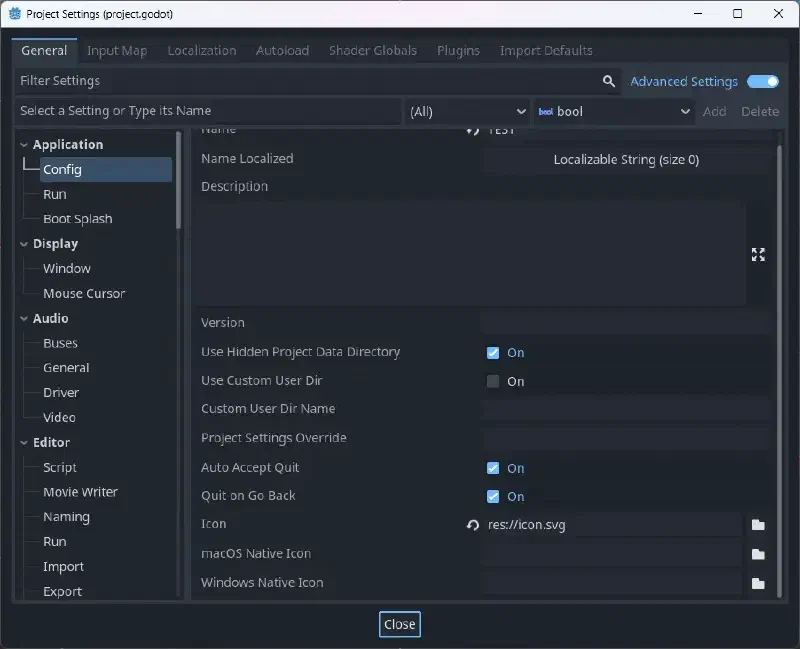
To change the taskbar icon, go to Project > Project Settings > Application > Config > Windows Native Icon and replace it with your own icon.
You must enable Advanced Settings in the upper-right corner.
Changing the File Icon #
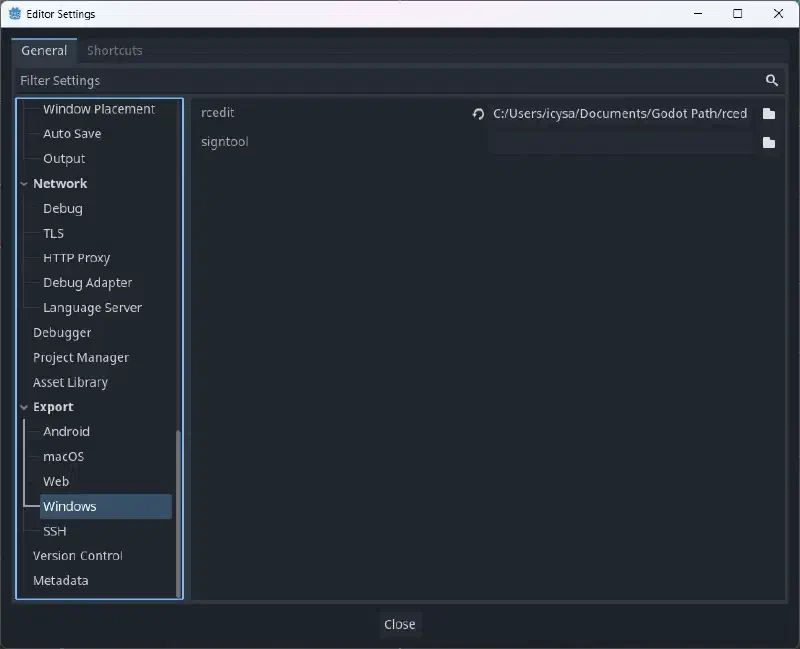
Install rcedit, then go to Editor > Editor Settings > Export > Windows.
Click the folder icon next to the rcedit entry, navigate to the executable file, and select it.
For Linux and macOS, you’ll need to install WINE.
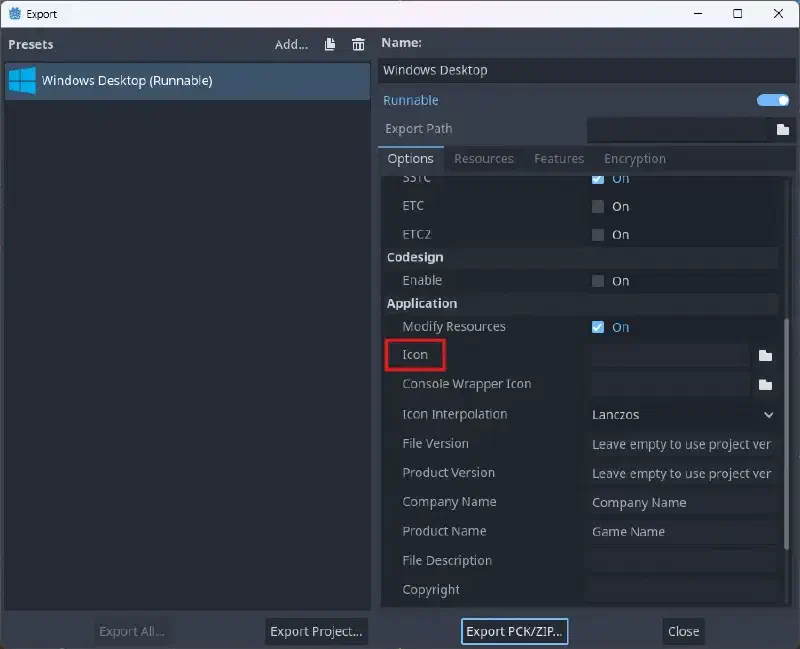
You must specify an icon when exporting.
Go to Project > Export.
If you have already created a Windows desktop preset, select an ICO format icon in the Application > Icon field.